Source: Miele Operating instructions Dishwasher (en-SG, M.-Nr. 11 836 740) - Problem solving guide
Error code
Drain
Appliance
Dishwasher
What Drain is telling you
Dishwashers with a text display show Drain when the water is not being pumped out. Some of it may still sit in the wash cabinet.
At a glance
| Code | Drain |
|---|---|
| Appliance | Dishwasher |
| What it means | Drain is a water drainage fault message, and water can remain in the wash cabinet. |
| First thing to try | Clean the filter combination. |
Three quick checks
- Clean the filter combination.
- Clean the drain pump.
- Straighten the drain hose if it is kinked or looped.
Drain pump cleaning, step by step
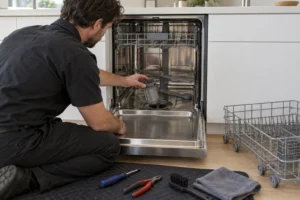
Foreign objects that block the pump are usually simple to take out. Work carefully: glass splinters are difficult to see inside the pump and can cut, and the parts are fragile.
- Cut the power: switch the machine off, turn off the socket and pull the mains plug.
- Lift the filter combination out of the wash cabinet.
- Bail the water out using a small suitable container or utensil.
- Push the drain pump cover catch inward and tilt the cover inward until it comes free.
- Hold the cover under running water and wash off every foreign object.
- Take foreign objects out of the pump with care, then spin the impeller by hand; it should offer slight resistance.
- Lower the cover back in vertically from above and check that the catch clicks into place.
Codes with a similar drainage theme
Dishwasher repair in San Francisco
For a Miele dishwasher in San Francisco or elsewhere in the Bay Area where Drain keeps returning, call (415) 966-4583 or read Miele dishwasher repair. Note the model number and which parts you cleaned before you ring.