


Specialized Miele Appliance Repair in San Francisco
Mon–Sat: 8:00 AM – 7:00 PM
Induction needs the right pan. This guide explains how to test cookware for a Miele induction cooktop, why a zone will not start, and which messages point to the pan rather than the hob.
Miele repairSan Francisco Bay Area
An induction cooktop does not heat the glass. It creates a magnetic field that makes the pan itself produce heat. That is why it reacts so quickly, and also why it is picky: a pan that cannot interact with the field simply does not heat, and the hob often shows a message instead. Before assuming the cooktop is broken, rule out the cookware.
Under each cooking zone sits a coil. When you set a pan down and switch the zone on, the electronics check whether something suitable sits above the coil. If the pan is magnetic enough, large enough and sitting flat, heating begins. If not, the zone stays off or switches off after a short time.
Miele describes code u_ on induction hobs as no cookware, unsuitable cookware or cookware too small on the cooking zone. That message is about the pan, not a failure. It is the hob telling you it cannot find a pan that fits.
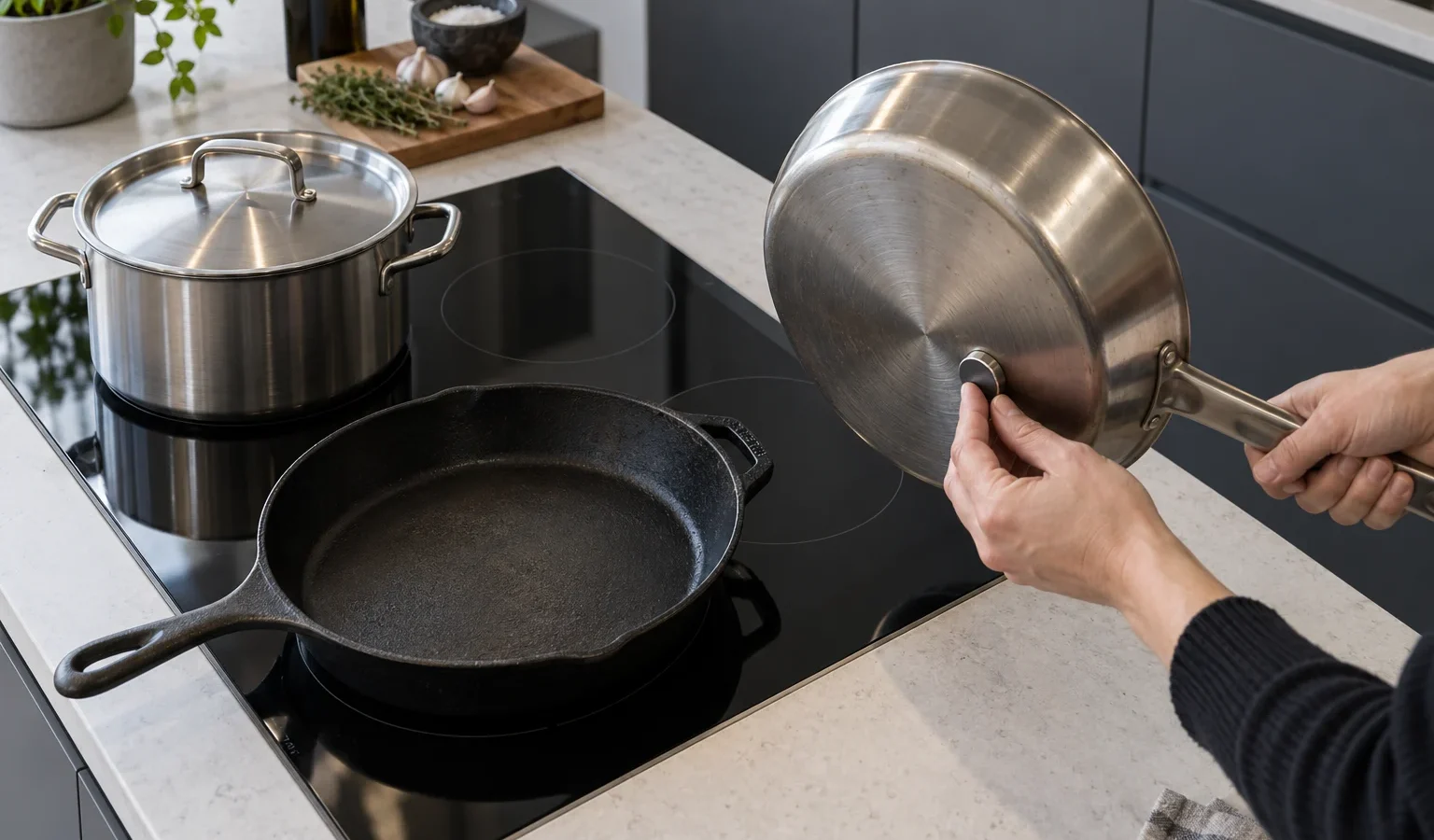
Hold a fridge magnet to the base of the pan. If it clings firmly, the pan is likely to work. If it does not stick at all, the pan will not heat on induction. If it sticks only weakly, the result can be uneven. Be aware that some pans have a magnetic outer layer and a thin core, so they pass the magnet test but behave differently, and some stainless pans are magnetic only in part of the base. Check the symbol on the base or in the maker’s information too.
Place the pan in the center of the zone and keep it there. A pan that drifts off center can trigger a stop.
Miele describes Err 709 as a connection fault between cookware and hob for M Sense cookware, with the hob and cookware switching off. That applies only to cookware designed to communicate with the hob. If you do not use that kind of pan, you will not see it.
Overheating is another route. Miele describes FE44 as an induction hob that has overheated, caused by unsuitable cookware or a blocked fan. Pans with very thin or damaged bases can send the hob into protection. Miele also describes E2 as overheating protection that is active, with booster off, power reduced or zones switched off.
Sometimes the pan is fine and the hob still does nothing. Check these things.
An induction hob sits in a worktop cutout above a cooling fan, and the cabinet or drawer beneath it needs air space. Miele describes FE47 as a fan that is blocked or has insufficient ventilation of the hob cooling system. In island and remodeled kitchens, a drawer or shelf installed too close can choke the airflow. A Miele KM 6365 is an induction cooktop in this lineup; the label is usually under the cooktop or on its underside, so you may need your installation papers to find the number. Combiset modules such as the Miele CS 1112 E are installed differently, so give us the exact model number.
Do not slide rough pans across the glass, place a hot lid on the controls, or use a cracked pan. Never use foil or a metal plate as an adapter. Do not lift the hob out of the cutout or touch wiring. If the glass is cracked, switch off at the breaker and stop using it, since liquid can reach the electronics. If you smell burning or see sparks, switch off at the breaker.
Book if the hob shows a message with a proven induction pan, if a zone will not heat on several pans, if the fan sounds blocked, or if a message returns after a reset. See Miele cooktop repair, the Miele cooktop lineup, our guide to finding the model number, and the contact page for San Francisco and Bay Area visits.
Hold a magnet to the base. If it sticks firmly, the pan will normally work. Check the base is flat and large enough for the zone.
Miele describes it as no cookware, unsuitable cookware or cookware too small on the cooking zone, so try a suitable pan placed centrally.
Common causes are a spill or hand over the controls, overheating protection, or a pan that sits off center. Wipe the controls and check the pan first.
Rough, warped or dirty bases can scratch the glass and heat unevenly. Lift pans rather than sliding them.
When a message returns with a known good pan, when a zone will not heat, when the fan is blocked or noisy, or when the glass is cracked.
Share a few details and we’ll confirm an appointment. Prefer to talk? Call us and we’ll help right away.