


Specialized Miele Appliance Repair in San Francisco
Mon–Sat: 8:00 AM – 7:00 PM
The model label sits in a different place on each Miele appliance. See where to look on refrigerators, dishwashers, ovens, hoods, laundry and coffee machines, and how to record it.
Miele repairSan Francisco Bay Area
The model number is the first thing a technician asks for. It tells them which version of the appliance they are dealing with, which controls and parts to expect and how to read the codes on your display. Finding it is easy once you know the usual locations, and in a built-in kitchen it is worth locating the label before something goes wrong, because the label may be behind a panel or a drawer that you will not want to dismantle while the appliance is misbehaving.
On a Miele label the model name is a short group of letters and digits, sometimes followed by a few more letters. Examples from our own listings include KWT 6312 UGS on a wine cooler, DGC 7440 XL on a combi-steam oven or HR 1956-3 on a range. Copy the whole thing, including spaces and hyphens. Alongside it, the label usually carries a longer serial or production number, and it is helpful to write that down as well.
Look on the inside wall of the cabinet, on the side or the ceiling, or on the door frame when the door is open. On built-in and panel-ready units the label is often on the inner wall rather than the door, because the door carries a cabinet panel. See the lineup in Miele refrigerators and Miele wine coolers.
Open the door and check the inner edge of the door or the side of the frame. On some installations the label sits on the top edge of the door, hidden once the door closes against the cabinet. The overview is on the Miele dishwashers page.
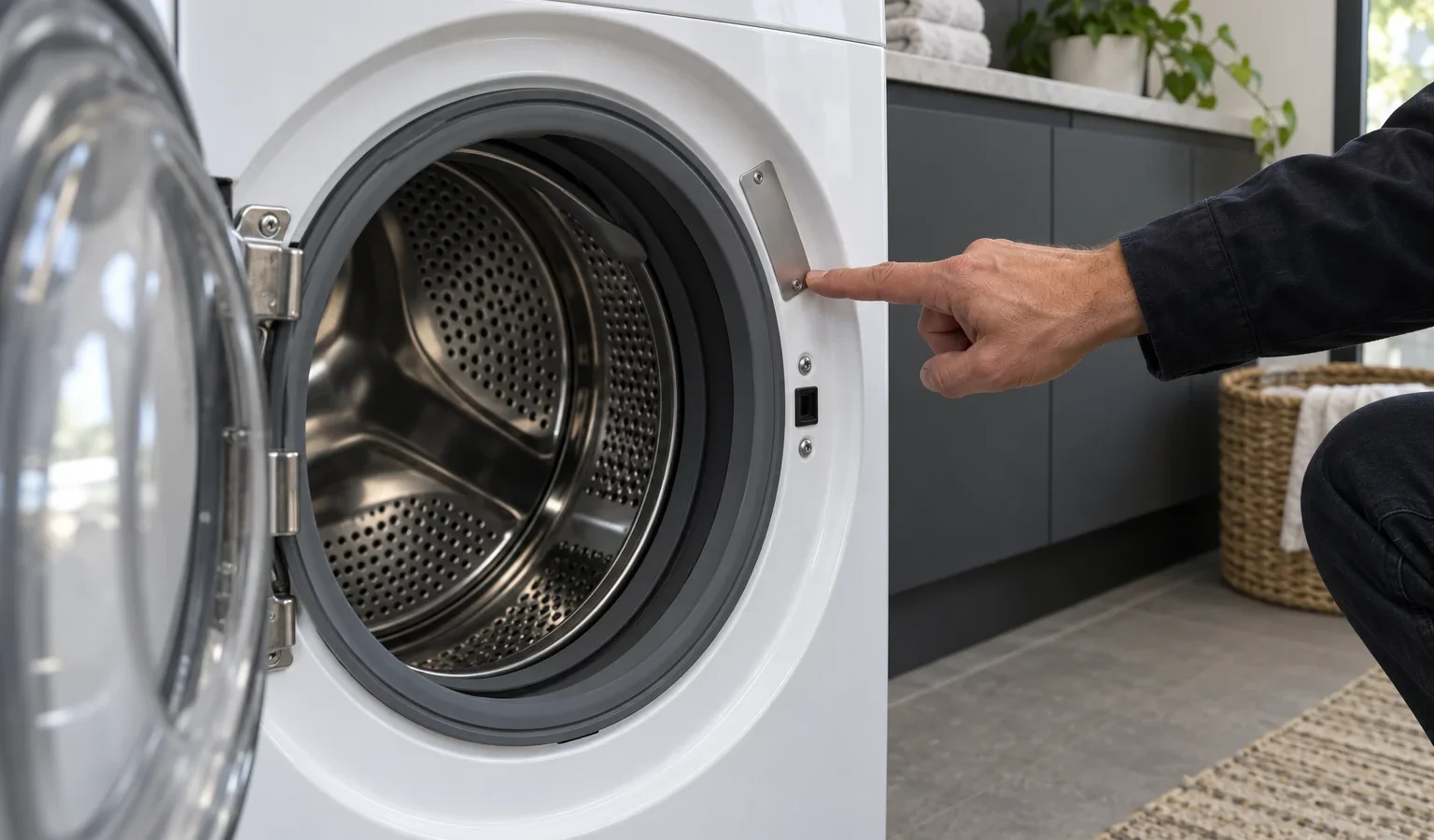
The label is usually around the door rim or inside the door opening. Stacked laundry may have one label on the washer and another on the dryer, so check both. A heat-pump dryer may also have a label inside the door or along the filter opening. Read more about Miele washers and Miele dryers.
Open the door fully and look at the frame, usually on the side or the lower edge. On built-in ovens the label is on the oven frame behind the door and often invisible when the door is shut. Steam oven labels can also appear at the edge of the cavity. See Miele wall ovens and Miele steam ovens.
The label is normally under the cooktop, not on the surface, which means it is often not reachable without lifting the unit. Check the manual, the installation paperwork or the cabinet below, where a paper copy may be pinned.
Open the oven door and check the frame, and on some ranges the storage drawer or the area behind the lower panel. The group is listed under Miele ranges.
Remove the grease filters, following the hood manual, and look on the inside of the hood body near the filter openings. See Miele range hoods.
Slide the drawer fully out and look at the frame edge, or behind the drawer front. See Miele warming drawers.
Built-in machines usually have the label behind the front cover or on the inner side wall once the water container or drip tray is removed. On countertop machines, look underneath or at the back. See Miele coffee machines.
When none of those work, tell us the type, the size, the controls and any panel or door style, and the technician can usually identify it during the visit.
Use a light and shoot straight on to avoid glare. Capture the whole label, then a close-up of the model line. If the text is faded, tilt the light across it to bring out the print. Keep the photo with the other details you gather: the exact display message, if any, and a short description of the problem.
The model determines how we read your codes. A listing such as Miele error codes explained shows that a message can be tied to certain models or appliance types. It also guides which parts we bring and how long diagnosis takes. Several model pages on the site, such as the G 7186 SCVi dishwasher or the DG 6500 steam oven, collect what is known about a model in one place. Browse the whole set under Miele models.
If you do not yet have a repair need, it is a good habit to record the model of each major appliance in one note on your phone. Property managers who look after several units find that a short list saves repeated visits to hard-to-reach labels.
When you are ready to book, give us the appliance type, the model number and a clear description. Our approach is diagnosis first, then a written estimate, and no repair without your approval. See our services for the full list of appliance types.
No. The model number identifies the design, while the serial number identifies the individual unit. It helps to have both.
No. Take photos of what you can see and share the manual or purchase paperwork instead. A technician can read the label during the visit.
No, but it is a useful clue. Tell us the width as well as the type of appliance if you cannot find the label.
Usually not. The display shows codes and settings, while the model name is printed on a label.
Some meanings apply only to certain models or families, so the number helps us read the display correctly.
Share a few details and we’ll confirm an appointment. Prefer to talk? Call us and we’ll help right away.